WebMCP & CUA: How agents browse your site
What I learned benchmarking WebMCP against other agent standards
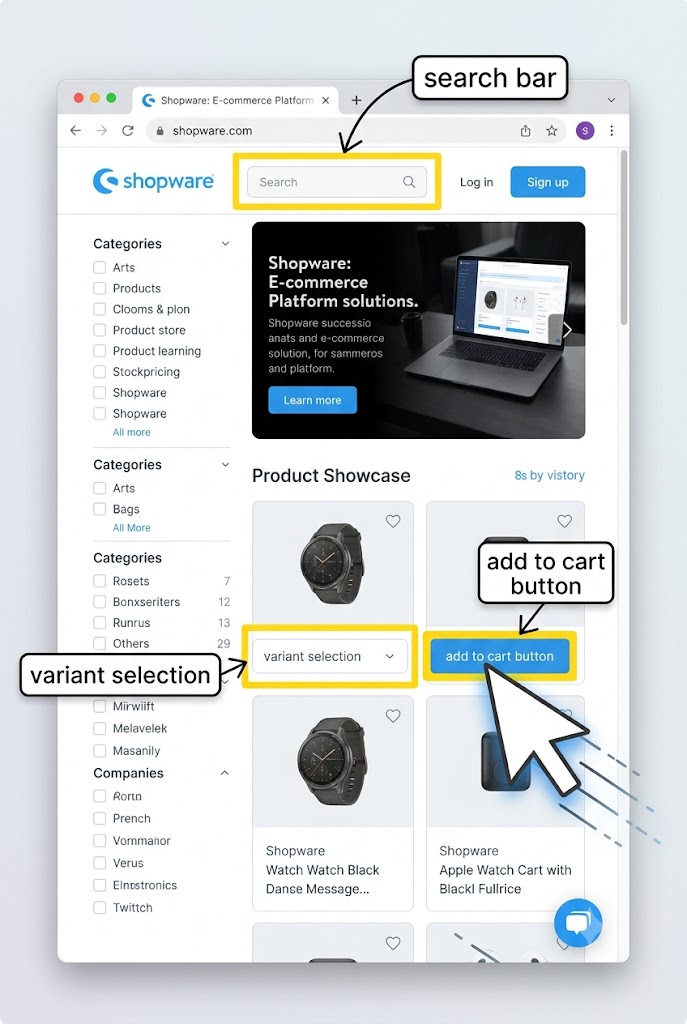
Some time ago we released the WebMCP Plugin for Shopware. In the process I built a small test suite that pits OpenAI computer-use (CUA) models against WebMCP and a plain DOM-based agent, all driving the same shop. This post is what that benchmark taught me.
What is WebMCP?
WebMCP is an emerging standard that takes the idea of MCP and makes it available as an “in-browser” tool. Instead of exposing an MCP server between backends, WebMCP lets a page publish tools into the browser session, where an agent can discover and call them directly.
The practical benefit over classic MCP is context and reach. A server-side MCP lives outside the user session: it needs its own auth, its own deployment, and it knows nothing about what the user is currently looking at. WebMCP tools ship with the page. They inherit the live session (login, cart, sales-channel context), they can read and manipulate the exact state the user sees, and there is no second service to host. For a storefront that already renders everything an agent needs, exposing a handful of semantic tools is far cheaper than standing up and maintaining a parallel API surface.
WebMCP is not widely adopted yet. But if you assume agents increasingly work through real browsers, giving those sessions structured, first-party context becomes relevant fast.
WebMCP supports two tool modes. Imperative tools let the site provider ship real logic behind a tool: API calls, DOM parsing, JavaScript, whatever the action needs. Declarative tools instead expose metadata and actionable hints directly in the markup, so the agent reads intent straight from the DOM without extra code running. Declarative tools should get more powerful over time precisely because they require no runtime logic, just context in the right place.
For Shopware WebMCP we currently focus on imperative tools.
The benchmark
We have a WebMCP plugin for Shopware. But how does it compare? Is it actually better than “naive” and “less naive” agents working on your shop? To find out I built a small benchmark harness. The same GPT-5.6 model runs the same tasks against the same demo shop through four different interfaces:
- WebMCP: twelve semantic shop tools, discovered live through
document.modelContext. - CUA Code: a single
exec_jsfunction backed by a persistent Playwright REPL, following OpenAI’s CUA sample appcodemode. - CUA Native: OpenAI’s built-in
computertool, driving the page with screenshots, mouse, and keyboard only. - DOM: a constrained accessibility snapshot plus generic click, type, select, and read actions.
Only the interface changes. Model, reasoning effort, prompt, step and time limits, seed data, and browser session are identical across arms. Each arm runs every task five times, and success is judged by browser URL and server-side cart ground truth, never by the model’s own “done” claim.
What is CUA?
OpenAI Computer Use is a model specifically for agents browsing websites. This model has two main working modes:
- Native: the model perceives the page through screenshots and returns concrete mouse and keyboard actions (click at x/y, type, press Enter).
- Code: the model works against the page through JavaScript, inspecting and driving the DOM with Playwright locators.
Here is what the two modes actually look like in a run. Native emits atomic input events:
computer.screenshot
computer.click   { button: "left", x: 706, y: 63 }
computer.type    { text: "Variant product" }
computer.keypress { keys: ["ENTER"] }
computer.wait
Code emits JavaScript batches instead:
// one exec_js call
const s = page.getByRole('searchbox', { name: 'Enter search term...' });
await s.fill('Variant product');
await s.press('Enter');
await page.waitForLoadState('domcontentloaded');
So instead of blindly hunting for a goal, the CUA model turns the task into actionable steps: either simulated clicks and keystrokes in a headless browser, or scripted DOM actions.
How to use CUA
Both modes run through the OpenAI Responses API. Native uses the built-in computer tool and you feed screenshots back after each step:
let res = await client.responses.create({
  model: 'gpt-5.6',
  tools: [{ type: 'computer' }],
  input: task.prompt,
});

while (true) {
  const call = res.output.find((o) => o.type === 'computer_call');
  if (!call) break; // no more actions -> done
  await executeComputerActions(page, call.actions); // click/type in Playwright
  const shot = await page.screenshot({ type: 'png' });
  res = await client.responses.create({
    model: 'gpt-5.6',
    tools: [{ type: 'computer' }],
    previousResponseId: res.id,
    input: [{
      type: 'computer_call_output',
      call_id: call.call_id,
      output: { type: 'computer_screenshot', image_url: `data:image/png;base64,${shot.toString('base64')}` },
    }],
  });
}
Code mode is just a normal function tool that runs whatever JavaScript the model returns in a persistent Playwright context:
const tools = [{
  type: 'function',
  function: {
    name: 'exec_js',
    description: 'Execute interactive JavaScript in a persistent Playwright REPL context.',
    parameters: {
      type: 'object',
      properties: { code: { type: 'string' } },
      required: ['code'],
    },
  },
}];
// on each tool call: run args.code in a VM with `page`, `context`, `browser` in scope,
// then feed console output back as the tool result.
The tasks
The suite has grown to nine tasks of increasing difficulty. The first six are core interaction tasks, from trivial (search for a product) to the kind of thing DOM agents notoriously trip over (picking a specific size variant and getting the exact product into the cart). The last three add price reasoning: the agent has to compare products and act on the result. Each task has an automated success check, so there is no partial credit and no self-reporting.
| # | Task | Success check |
|---|---|---|
| 1 | Open a given category | Final URL matches the category |
| 2 | Open both products in that category | Products discovered from the listing, no search detour |
| 3 | Search for a product | Query stays on the results page and the target product is visible |
| 4 | Apply a listing filter | Category URL carries the filter and the rendered products match the reference set |
| 5 | Open a specific product detail page | Final URL matches the target PDP |
| 6 | Add a specific variant to the cart | Server-side cart holds the exact variant and quantity |
| 7 | Add the cheapest product in a category to the cart | Cart holds only the cheapest product |
| 8 | Open the PDP of the most expensive product across two categories | Final URL matches that product |
| 9 | Add the most expensive product under a price cap to the cart | Cart holds only the correct budget pick |
Tasks 1 to 5 build up to task 6, the “money shot”: the one where variant selection in modals and the offcanvas cart usually break naive agents, and where WebMCP’s select_variant and add_to_cart should shine. Tasks 7 to 9 then test whether the agent can reason over prices, not just navigate.
The outcome
180 attempts later (4 arms x 9 tasks x 5 runs), the picture is more nuanced than a simple ranking. Here are the aggregate numbers, medians taken over successful runs:
| Arm | Success | Median time | Median tokens | Median actions |
|---|---|---|---|---|
| WebMCP | 45/45 (100%) | 11.1 s | 9,549 | 2 |
| CUA Code | 37/45 (82%) | 49.4 s | 34,196 | 11 |
| CUA Native | 29/45 (64%) | 28.4 s | 30,490 | 9 |
| DOM | 45/45 (100%) | 21.6 s | 38,537 | 9 |
WebMCP and DOM both completed every one of the 45 attempts. But WebMCP got there in a median of two actions and under 10k tokens, while DOM needed nine actions and, once the price-reasoning tasks are in the mix, the highest token count of any arm.
The two computer-use arms are where success actually cracked. CUA Code failed 8 attempts, and CUA Native failed 16. The failures are not evenly spread; they cluster on specific tasks:
| Task | WebMCP | CUA Code | CUA Native | DOM |
|---|---|---|---|---|
| Open category | 5/5 | 0/5 | 4/5 | 5/5 |
| Open two products | 5/5 | 2/5 | 4/5 | 5/5 |
| Search for product | 5/5 | 5/5 | 3/5 | 5/5 |
| Filter products | 5/5 | 5/5 | 4/5 | 5/5 |
| Open product detail page | 5/5 | 5/5 | 5/5 | 5/5 |
| Add variant to cart | 5/5 | 5/5 | 4/5 | 5/5 |
| Add cheapest in category | 5/5 | 5/5 | 5/5 | 5/5 |
| Open most expensive across two categories | 5/5 | 5/5 | 0/5 | 5/5 |
| Add most expensive under a price cap | 5/5 | 5/5 | 0/5 | 5/5 |
Two things stand out. CUA Code whiffed the trivial “open category” task entirely (0/5), a reminder that a general code agent can flail on something simple while nailing harder tasks. And CUA Native completely failed both cross-category reasoning tasks (0/5 each): comparing prices across two listings from screenshots alone proved too much for the visual arm.
Where the arms really diverge is time and tokens per task:
| Task | WebMCP | CUA Code | CUA Native | DOM |
|---|---|---|---|---|
| Open category | 9.3 s | n/a | 28.2 s | 11.5 s |
| Open two products | 18.7 s | 89.3 s | 181.0 s | 30.4 s |
| Search for product | 5.9 s | 42.1 s | 13.5 s | 10.2 s |
| Filter products | 10.1 s | 25.0 s | 25.7 s | 18.0 s |
| Open product detail page | 10.2 s | 52.0 s | 16.8 s | 12.3 s |
| Add variant to cart | 10.8 s | 130.7 s | 34.6 s | 71.6 s |
| Add cheapest in category | 21.1 s | 78.7 s | 113.3 s | 20.5 s |
| Open most expensive across | 26.4 s | 36.3 s | n/a | 37.7 s |
| Add most expensive under cap | 17.7 s | 54.9 s | n/a | 35.9 s |
Median tokens per task tell the same story, and the extremes are brutal:
| Task | WebMCP | CUA Code | CUA Native | DOM |
|---|---|---|---|---|
| Open category | 7,971 | n/a | 35,637 | 8,098 |
| Open two products | 18,858 | 40,998 | 327,867 | 32,593 |
| Search for product | 5,367 | 10,935 | 7,932 | 4,067 |
| Filter products | 8,901 | 15,179 | 30,416 | 14,337 |
| Open product detail page | 9,086 | 20,013 | 13,716 | 9,664 |
| Add variant to cart | 9,549 | 101,642 | 30,537 | 213,875 |
| Add cheapest in category | 17,428 | 87,881 | 332,699 | 53,293 |
| Open most expensive across | 25,246 | 34,196 | n/a | 112,291 |
| Add most expensive under cap | 16,144 | 61,788 | n/a | 53,857 |
Several numbers jump out. CUA Native burns over 320k tokens on both “open two products” and “add cheapest in category”, because every step ships a fresh full-resolution screenshot. DOM spends 214k tokens on the variant-to-cart task, wrestling with the variant modal snapshot. WebMCP does that same cart task in under 10k tokens and three tool calls:
shopware_webmcp_search_products { query: "Variant product", showResults: false }
shopware_webmcp_select_variant  { id: "...", selections: [{ group: "Size", option: "XL" }], quantity: 1 }
finish
Take away
Once the harder reasoning tasks are included, the arms separate on both axes at once: reliability and cost.
WebMCP was the most stable across every dimension: fastest, cheapest, and 100% successful over all 45 attempts. It wins because a semantic tool collapses an entire UI interaction into one call with a structured result, so there is nothing to perceive, scroll, or re-screenshot. It cleared the price-reasoning tasks for the same reason the navigation ones were easy: structured product data is right there to compare.
DOM was the other 100% arm, and it is a genuinely strong baseline. But it pays in tokens: about 4x WebMCP’s median, and on the variant-cart task it burned over 200k tokens fighting the modal snapshot. Reliable, but expensive, and the cost grows with page complexity.
The two computer-use arms are where reliability actually broke. CUA Code landed at 82%, tripped up by simple category navigation as much as anything, and paid roughly 4x WebMCP’s time and tokens because it explores the DOM step by step. CUA Native was the weakest at 64%: screenshots dominate its context (over 320k tokens on a single task), and it could not do cross-category price comparison from pixels at all, failing both of those tasks outright.
The pattern is consistent: the more an interface forces the model to perceive and reconstruct UI state, the more it costs and the more brittle it gets, especially once a task needs reasoning over what is on the page rather than just clicking through it. Purpose-built tools sidestep that entirely.
Limitations of this approach and learnings
All agents worked under a deliberately limited setup. This was not a full agentic coding harness slowly reasoning its way through the site, but a constrained agent with a fixed toolset, a step limit, and a wall-clock budget. That constraint is also realistic: most production agent systems optimize for cost and latency, and you cannot assume a heavyweight harness is free to explore. Time and resources matter, so a benchmark that respects them is closer to how agents actually get deployed.
A fair caveat about WebMCP itself: imperative tools can expose the full depth of the Shopware API, which is powerful, but it is also a maintenance commitment to a standard that not everyone in the industry will adopt.
That is why I think declarative WebMCP tools may be the stronger long-term bet. Instead of hand-crafting and maintaining another interface, declarative tools put actionable hints directly in the markup you already ship. And because they are just enriched HTML, they are meaningful even to agents and crawlers that do not speak WebMCP: the context is simply there to be read. A product card might carry its action inline:
<div itemscope itemtype="https://schema.org/Product"
     data-mcp-tool="add_to_cart"
     data-mcp-product-id="01994d25-7eca-...">
  <span itemprop="name">Variant product</span>
  <meta itemprop="sku" content="SW10001" />
  <link itemprop="availability" href="https://schema.org/InStock" />
  <span itemprop="offers" itemscope itemtype="https://schema.org/Offer">
    <span itemprop="price" content="19.99">19,99</span>
    <meta itemprop="priceCurrency" content="EUR" />
  </span>
</div>
A WebMCP-aware agent reads data-mcp-tool and calls the action directly. A generic crawler, or Google, still gets clean structured product data from the same markup. One annotation, two audiences, no second API to keep alive.